
Did you know that your vehicle’s VIN (Vehicle Identification Number) holds the key to unlocking its complete history? For Hyundai owners, understanding how to decode this unique identifier can empower you to verify your vehicle’s warranty status and uncover important details about its past. Whether you’re considering a purchase or want to ensure your car’s ongoing compliance, knowing how to access and interpret this information is crucial. This guide will demystify the VIN decoding process, providing you with step-by-step instructions and essential tips, enabling you to make informed decisions about your Hyundai. Join us as we explore how a simple code can reveal a wealth of knowledge, helping you navigate your ownership experience with confidence and clarity.
Understanding Your Hyundai’s VIN: What It Reveals
Every Hyundai vehicle comes with a unique identifier known as the Vehicle Identification Number (VIN), which serves as an automotive DNA. This 17-character alphanumeric code reveals a wealth of information about your vehicle, making it an essential tool for both current owners and potential buyers. Understanding your Hyundai’s VIN allows you to verify the vehicle’s history, warranty status, and recall information, ultimately helping you make informed decisions regarding service, maintenance, or purchase.
The VIN is packed with specific data. The first three characters identify the manufacturer and the type of vehicle, known as the World Manufacturer Identifier (WMI). The subsequent characters provide details about the make, model, year, assembly plant, and engine type. For instance, if you’re exploring a used Hyundai, knowing these data points can help you confirm if the vehicle is as described by the seller. Additionally, the 10th character indicates the model year, which can be crucial when assessing the vehicle’s features and compliance with updated standards.
Using a Hyundai VIN decoder is straightforward. Many online platforms allow you to input the VIN and receive a detailed report. This report typically includes information about the vehicle’s manufacturing details, warranty status, accident history, and any outstanding recalls. By employing these tools, you can uncover significant insights, such as previous repairs or whether the vehicle has a clean title. It’s a small step that can yield big benefits, helping you avoid potential pitfalls when buying or maintaining your Hyundai.
In addition to verifying history and warranty information, the VIN serves as a protective measure against theft and fraud. Since the VIN is unique to each car, it can be used to ascertain the vehicle’s legal status and verify ownership. Therefore, ensuring that your Hyundai’s VIN is accurately recorded and matched with the vehicle you intend to purchase is critical. This simple code not only enhances transparency in the automotive market but also empowers you to take control of your vehicle’s lifecycle.
How to Locate Your Hyundai’s VIN
Finding the Vehicle Identification Number (VIN) for your Hyundai is crucial for many vehicle-related tasks, including checking its warranty status and repair history. Fortunately, locating this unique code is relatively straightforward. The VIN is a 17-character alphanumeric identifier that can usually be found in several prominent locations on your vehicle.
One of the most common places to check is on the driver’s side dashboard, where the VIN is visible through the windshield. This location allows for easy viewing when standing outside the vehicle. Additionally, you can find the VIN on the driver’s side door jamb; simply open the door, and look for a label that contains both the VIN and information about the vehicle’s specifications. In some models, especially older ones, the VIN may also be located on the engine block or the frame, typically stamped onto a metal plate.
To ensure accuracy when locating your VIN, here are a few tips:
- Use a flashlight: If visibility is low, a flashlight can help illuminate the hidden areas.
- Have a smartphone handy: Taking a picture of the VIN can avoid errors if you need to reference it later.
- Check your documents: The VIN is also printed on your vehicle registration, insurance documents, and the owner’s manual.
Remember, accurately recording your VIN is important as it plays a key role in various services like recalls, warranty checks, and history reports. Whether you’re purchasing a used vehicle or simply want to keep track of your Hyundai’s service history, knowing how to find and use the VIN is an invaluable skill for any vehicle owner.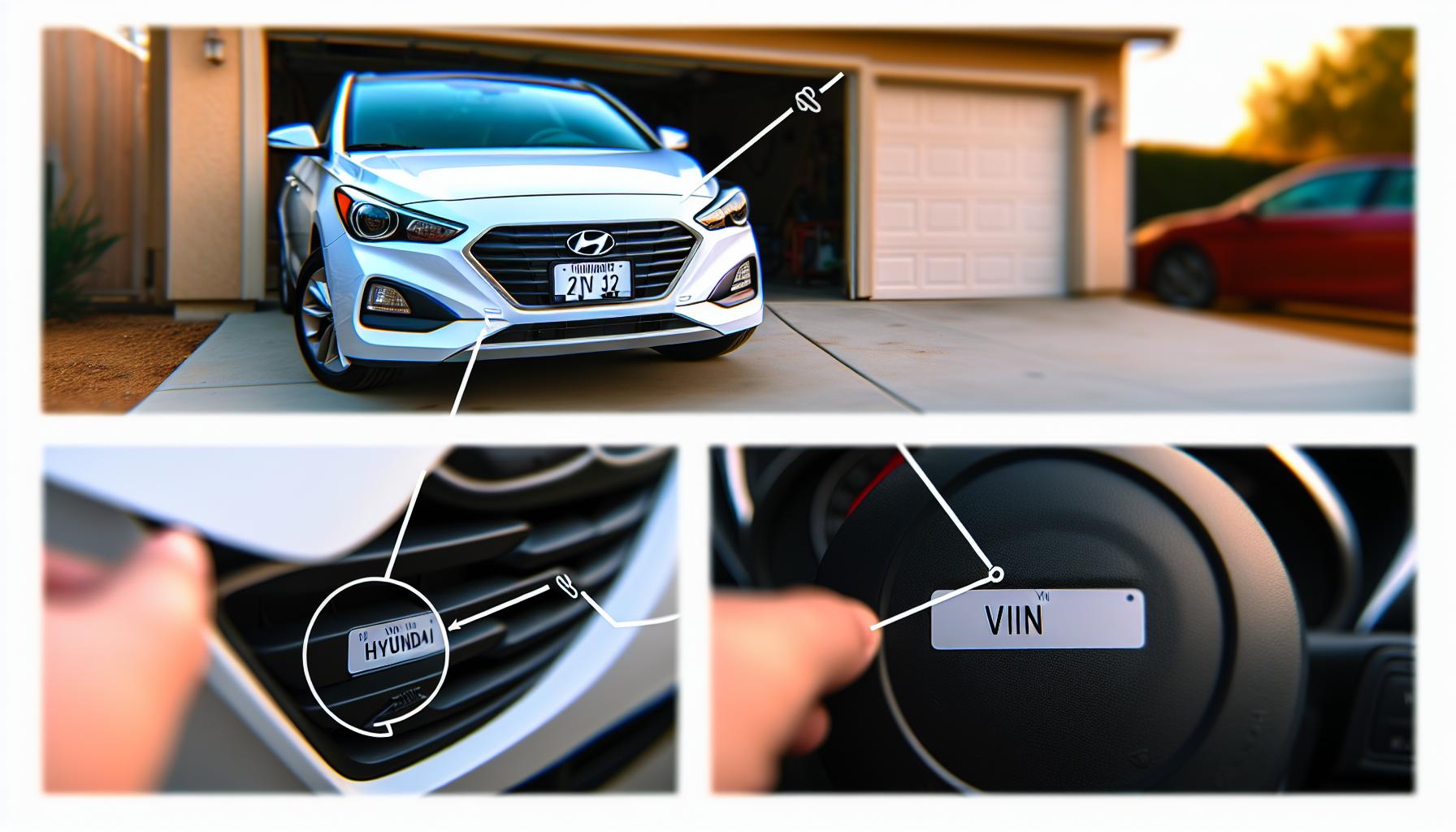
Using a Hyundai VIN Decoder: A Step-by-Step Guide
Using a VIN decoder can seem daunting, but unlocking the secrets of your Hyundai’s VIN is an empowering step in vehicle ownership. A VIN, or Vehicle Identification Number, is a 17-character code that contains vital information about your vehicle, from its manufacturer to its production year and unique specifications. Having the right decoder at your fingertips can open the door to a wealth of knowledge, helping you verify warranty details, explore repair histories, and even check for recalls.
To begin decoding your Hyundai’s VIN, first locate your VIN following the guidance from the previous section. Once you have that number, you can proceed with the decoding process. Here is a step-by-step guide:
Step 1: Find a Reliable VIN Decoder
There are numerous online VIN decoders, but it’s essential to choose one that is trustworthy. Many automotive websites offer free VIN decoding services. Look for options like the official Hyundai website or reputable automotive forums.
Step 2: Input Your VIN
After selecting a decoder, you will encounter a field where you can enter your VIN. Carefully type or paste the VIN into the input box; double-check for any errors. An incorrect VIN can lead to inaccurate results.
Step 3: Review the Information Provided
Once you submit your VIN, the decoder will pull up detailed information about your Hyundai. This can include the manufacturing details, vehicle specifications, engine type, and assembly plant. Pay attention to any warranty information or recall notices related to your vehicle.
Step 4: Utilize the Information
Use the decoded data to enrich your understanding of your vehicle’s history. If you’re checking warranty status, take note of the coverage period and what components are included. For repair history, you might need to cross-reference the information with your service records or discuss findings with your mechanic.
Why It Matters
Understanding this information can help you make informed decisions regarding maintenance, potential repairs, and resale value. By verifying your vehicle’s history and warranty status, you can avoid unexpected costs and ensure that your Hyundai remains in optimal condition.
Using a VIN decoder does not have to be a complex task. With just a few steps, you can demystify your Hyundai’s VIN and gain invaluable insights. By integrating this knowledge into your vehicle ownership experience, you’re not just maintaining your car-you’re also protecting your investment.
Decoding Your VIN: Analyzing Each Component
Understanding the components of your Hyundai’s VIN can feel like peeling back the layers of a complex puzzle, but it’s an essential skill for any vehicle owner. Each section of the 17-character Vehicle Identification Number uniquely describes specific aspects of your vehicle, revealing a wealth of information from manufacturer details to safety specifications. By learning what each character represents, you empower yourself to make better-informed decisions regarding warranties, repairs, and potential recalls.
The VIN is broken down into three main parts: the World Manufacturer Identifier (WMI), the Vehicle Descriptor Section (VDS), and the Vehicle Identifier Section (VIS). Here’s how to analyze each segment:
World Manufacturer Identifier (WMI)
The first three characters of your VIN comprise the WMI. These denote the manufacturer and the country of origin. For instance, a Hyundai manufactured in South Korea will typically start with the letters “KMH.” Recognizing the WMI can help confirm that your vehicle is from an authentic source and not a counterfeit.
Vehicle Descriptor Section (VDS)
Characters 4 to 9 make up the VDS, detailing the vehicle’s model, body type, engine type, and safety features. For example, the fifth character specifies the engine type, which is critical when checking compatibility for parts or servicing. The ninth character serves as a checksum, validating that the VIN is legitimate.
Vehicle Identifier Section (VIS)
The last eight characters form the VIS. This section contains the vehicle’s production number, indicating its specific sequence within the production run. The tenth character denotes the model year, which helps in determining warranty coverage and potential recalls associated with that particular model year.
Understanding these components not only enhances your automotive knowledge but also serves practical purposes. Whether you’re checking warranty details, verifying repairs, or ensuring you’re informed about recalls, knowing your VIN’s structure gives you valuable insight into your Hyundai’s history and specifications. Empowered with this knowledge, you’ll be better equipped to manage your vehicle’s maintenance and longevity, ensuring that it remains a reliable part of your daily life.
Check Your Hyundai’s Warranty Status Online
Checking your Hyundai’s warranty status online can be a straightforward process that saves you from unexpected repair costs and helps you make informed decisions about servicing your vehicle. One of the primary benefits of understanding your warranty is that it can guide you on what services you can receive at no cost and help ensure that your maintenance tasks are performed within the required timeframes, keeping your coverage intact.
To start, locate your Vehicle Identification Number (VIN), which is essential for accessing warranty information. This unique 17-character code can typically be found on the lower left corner of the windshield, on the driver’s side door jamb, or within your vehicle’s owner manual. Once you have your VIN, visit the official Hyundai website or a trusted automotive service website that provides warranty check services. Many of these platforms are designed to make the process user-friendly; simply enter your VIN into the designated field.
Steps to Check Your Warranty Status
- Go to the official Hyundai website: Navigate to the warranty section, where you can find specific details related to your model.
- Enter your VIN: Input your VIN in the provided area. This will allow the system to pull up your vehicle’s information.
- Review warranty coverage: After submitting your VIN, you’ll see your warranty status, including the type of coverage and any remaining time or mileage limits.
- Contact Customer Service if needed: For any questions or discrepancies, don’t hesitate to reach out to Hyundai’s customer service via phone or online chat.
Knowing the specifics of your warranty can significantly influence how you care for your Hyundai. For example, if your vehicle is still within its warranty period, you might opt for dealership services to ensure comprehensive coverage for repairs and replacements. Conversely, if your warranty has expired, this knowledge can influence your decisions about aftermarket services or extended warranty options. Keep in mind that as you become more familiar with your Hyundai’s warranty, you also enhance your confidence in managing repairs and understanding your rights as a vehicle owner.
Verifying a Hyundai’s Repair History
When considering a vehicle, knowing its repair history can be just as crucial as understanding its warranty. A car’s maintenance records offer valuable insights into how well it has been cared for, which can significantly affect its reliability and longevity. For Hyundai owners and potential buyers, the Vehicle Identification Number (VIN) serves as a gateway to this essential information. By using the VIN, you can uncover the repair history of your vehicle, ensuring you’re making an informed decision.
To verify your Hyundai’s repair history, start by locating your VIN. This 17-character code is typically found on the dashboard near the windshield, on the driver’s side door jamb, or in the vehicle’s registration documents. Once you have your VIN, you can use various online services to gather repair information. Websites like Carfax or AutoCheck provide detailed reports that include records of past repairs, accidents, and service history. Simply enter your VIN into these platforms, and the system will generate a comprehensive report that outlines your vehicle’s background.
Steps to Access Repair History
- Choose a reliable service: Opt for well-known services like Carfax or AutoCheck that specialize in vehicle history reports.
- Enter your VIN: Input your VIN in the designated area to access the report.
- Review the report: Examine the history for any recorded repairs, including routine maintenance and major repairs.
- Look for red flags: Pay attention to any indications of past accidents or recurring repairs which might affect your purchase decision.
Not only does verifying your Hyundai’s repair history provide peace of mind, but it can also influence your vehicle’s value. For example, a well-documented service history can enhance resale value and attract buyers, while a lack of maintenance records can deter potential purchasers. Furthermore, understanding past repairs can help in negotiating prices, as a buyer armed with this information is better prepared to discuss any concerns regarding the vehicle’s condition. Thus, making use of your VIN to verify repair history is a wise move that can protect your investment and ensure a smoother ownership experience.
Uncovering Recall Information for Your Hyundai
Understanding recall information is essential when it comes to vehicle safety and compliance, particularly for Hyundai owners. Each Vehicle Identification Number (VIN) is a unique identifier that not only helps you track the history of your car, but it also allows you to uncover important recalls that may have affected your model. This information can empower car owners and potential buyers to ensure that their vehicle meets safety standards and has not been subject to unresolved issues.
To check for recalls, start by visiting the National Highway Traffic Safety Administration (NHTSA) website or Hyundai’s official recall page. Here, you’ll find a dedicated section to enter your VIN. This step is straightforward; simply type in your 17-character VIN, and the system will generate any recall notices associated with your vehicle. It may list recalls specific to certain components, such as airbags, brakes, or electrical systems, detailing when they were issued and outlining the necessary corrective actions needed.
It is crucial to take recall information seriously. For instance, if a recall has been issued for a critical safety defect and hasn’t been addressed, it could potentially endanger your life or the lives of your passengers. Furthermore, having a record of recalls that have been performed on your vehicle can enhance resale value, as prospective buyers often search for vehicles with clean safety histories. Keeping track of recalls via your VIN can also facilitate communication with dealerships regarding repairs, ensuring you receive any necessary service promptly and at no cost, given that recalls are typically covered under warranty.
Always check for the latest recall information regularly, especially if you’re considering buying a used Hyundai. This proactive approach not only reflects responsible ownership but also reinforces safety and reliability on the road. Remember, being informed is key to effective vehicle management, so make the most of your VIN to safeguard both your investment and your safety.
Why a VIN Check is Essential Before Buying
Before committing to a used Hyundai, performing a VIN check is an absolute must. This simple step can uncover hidden details about the vehicle’s past, potentially saving you from costly mistakes. Each Vehicle Identification Number (VIN) is unique, acting like a fingerprint that reveals crucial information about the car’s history, including accidents, title issues, and service records. A VIN check can highlight whether the vehicle has been reported stolen or salvaged, helping you avoid a vehicle that may come with hidden problems or legal issues down the line.
One major benefit of a VIN check is its ability to provide insight into a vehicle’s warranty status. This is particularly important for used Hyundais, as many models come with a transferable warranty. By entering the VIN into a Hyundai warranty verification tool or the official Hyundai website, you can quickly determine if the warranty is still active or if any service recalls need to be addressed. Knowing the warranty details can give you peace of mind, as it indicates the level of protection you have against unexpected repairs.
Furthermore, if the seller cannot provide a vehicle history report, the VIN check can be your safety net. Tools like the National Highway Traffic Safety Administration (NHTSA) site or specialized VIN decoders can offer comprehensive reports detailing any past issues, maintenance records, and recall information. These resources turn what might seem like a simple alphanumeric code into a powerful tool for informed decision-making. Ultimately, a VIN check is not just a precaution; it’s a smart strategy that empowers you to make a wise investment in your next Hyundai.
Key Benefits of a VIN Check
- Uncovers Vehicle History: Learn about past accidents, thefts, and ownership records.
- Confirms Warranty Status: Verify if the car is still under warranty.
- Reveals Recall Information: Check for unresolved recalls that could impact safety.
- Protects Against Fraud: Avoid vehicles with hidden issues that could lead to financial losses.
Armed with this knowledge, you can approach your used car purchase with confidence, ensuring that every detail aligns with your expectations and protects your investment.
Comparing VIN Decoding Tools: Which One Is Best?
Choosing the right VIN decoding tool can make a significant difference in your experience of understanding your Hyundai’s history and warranty status. With numerous options available online, it can be overwhelming to determine which one will provide the most detailed and accurate information. To help streamline this process, consider factors such as ease of use, cost, comprehensiveness of reports, and user reviews when making your selection.
Many Hyundai owners start with the official Hyundai website, as it offers a built-in VIN decoder that provides warranty status and recall information specific to Hyundai vehicles. This tool is straightforward and free, making it an excellent first stop for verifying your vehicle’s details. However, while it covers essential aspects, its report may not delve deeply into the vehicle’s repair history or past accidents-areas where third-party services excel.
Third-party VIN decoding tools such as Carfax or AutoCheck are also popular choices, especially when a comprehensive vehicle history is needed for a used car purchase. These tools typically offer detailed reports that include accident history, service records, previous ownership, and more. They often charge a fee, but many users find the investment worthwhile, especially when avoiding potential pitfalls of buying a problematic vehicle. Furthermore, platforms like the National Highway Traffic Safety Administration (NHTSA) provide free services to check for recalls, which is an essential aspect of vehicle safety.
In conclusion, the best VIN decoding tool depends on your specific needs. If you’re primarily looking for warranty status and basic recall information, starting with the Hyundai website is a solid choice. For a more extensive review, especially prior to a used car purchase, investing in a third-party service can be invaluable. Whichever tool you choose, understanding the report will enable you to make informed decisions that protect your investment in your Hyundai.
Common Mistakes When Decoding a Hyundai VIN
Decoding a Hyundai VIN can provide crucial information about your vehicle, but it’s easy to make mistakes in the process that can lead to misunderstandings or missed details. One common error occurs when owners overlook the importance of the VIN location. Hyundai places the VIN in multiple areas of the vehicle, including on the dashboard near the windshield, the driver’s side door jamb, and the engine block. Failing to check all these places might lead to using an incorrect VIN, which could yield misleading or incomplete information.
Another frequent mistake involves misinterpreting the VIN itself. Each character in a VIN has a specific meaning related to the vehicle’s manufacturer, model, year, and place of manufacturing. For example, the first three characters denote the World Manufacturer Identifier (WMI), which can help identify where the car was made. Owners might not realize that a simple mix-up in characters can provide completely different information. It’s essential to ensure you’re reading the VIN correctly and matching it against reliable decoding tools.
Additionally, relying solely on one decoding source can be limiting. While the official Hyundai site provides valuable information, third-party services like Carfax or AutoCheck can deliver extensive history reports that include past accidents, service records, and ownership changes. By using a combination of resources, a more comprehensive picture of the vehicle’s history can be obtained, helping to make informed decisions, especially if considering a used purchase.
Lastly, some owners may neglect to update their records or assume that the VIN will provide all necessary details about their vehicle’s warranties or recalls. Regular checks are important, especially as manufacturers issue updates and recalls that can impact vehicle safety. Staying proactive about VIN checks, particularly in relation to recalls, ensures that you maintain the vehicle’s safety and reliability. By avoiding these common pitfalls, Hyundai owners can leverage their VIN to gain a clearer understanding of their vehicle’s history and condition.
Understanding VIN Options for Different Hyundai Models
Understanding the unique VIN configurations across Hyundai’s model lineup can significantly enhance your awareness of your vehicle’s history, features, and potential pitfalls. Each Hyundai model, from the versatile Tucson to the sleek Elantra, has its own specific VIN structure that reflects its design, manufacturing details, and safety features. The Vehicle Identification Number (VIN) is not just a string of characters; it is your car’s fingerprint, providing critical insights that can influence buying decisions, maintenance schedules, and even insurance premiums.
Hyundai VINs typically consist of 17 characters that encode information such as the country of origin, manufacturer, vehicle type, model year, and production sequence. For instance, the World Manufacturer Identifier (WMI) will indicate that your Hyundai was built in South Korea if it starts with the letter ‘K’. This initial segment alone can guide you in verifying authenticity and sourcing parts specific to your vehicle. High-end models like the Genesis also have distinct VIN characteristics that differentiate them in terms of luxury features and options available compared to standard Hyundai vehicles.
To make the most of your VIN, it’s essential to understand how to locate it and utilize it effectively. Start by checking the basic characters: the 4th to 9th characters together give you the vehicle’s model, engine type, and security codes. This can help determine if your vehicle has been subjected to any recalls or if it’s compatible with specific aftermarket parts. Regularly decoding your VIN using available online tools can keep you informed not only about your car’s specifications but also improve your ability to verify warranty status and previous accidents.
After gaining insights from the VIN, you can ensure your Hyundai vehicle retains its value. Regularly check for recalls and service updates, especially for popular models that may be subject to frequent changes in safety regulations. Actively engaging with your vehicle’s history through its VIN helps you maintain it properly and stay ahead of potential issues, thus making informed decisions about your Hyundai ownership experience. Understanding these options empowers you to take control of your vehicle’s life cycle with confidence.
Tips for Maintaining Your Hyundai’s Value with VIN Knowledge
Knowing your Hyundai’s Vehicle Identification Number (VIN) can significantly impact your vehicle’s resale value and overall maintenance routine. A VIN not only reveals the car’s specifications but also serves as a record of its history. By leveraging the information encoded in your VIN, you can keep your Hyundai in top shape, which is essential for maintaining its value over time.
First, regularly checking for recalls and service campaigns is crucial. You can do this easily by entering your VIN into the National Highway Traffic Safety Administration’s (NHTSA) website or Hyundai’s official service lookup page. This not only ensures your vehicle remains compliant with safety standards but also protects you from potential hazards-recalls can affect performance and safety, which are significant factors for future buyers. Keeping your records updated regarding any repairs or replacements can also demonstrate due diligence when it comes time to sell.
Additionally, understanding your warranty coverage through your VIN provides peace of mind. By utilizing online tools or contacting your dealership, you can verify whether your vehicle is still under warranty, which models or parts are covered, and what kind of claims have been made in the past. This information allows you to make informed decisions about maintenance and repairs, and being able to communicate this effectively to potential buyers can add to your car’s resale appeal.
Lastly, consider keeping a detailed maintenance log tied to your VIN. Recording every service, from oil changes to tire rotations, can boost buyer confidence. Use a simple spreadsheet or a dedicated app to track these details. When it’s time to sell your Hyundai, you can present a complete history of care, reinforcing the idea that your vehicle has been meticulously maintained. By blending expert knowledge with proactive management of your Hyundai’s history, you empower yourself to protect and enhance your vehicle’s value seamlessly.
Q&A
Q: What is a Hyundai VIN Decoder and how does it work?
A: A Hyundai VIN Decoder is a tool that helps users interpret the Vehicle Identification Number (VIN) of their Hyundai. By entering the VIN, you can access detailed information about your vehicle, including its make, model, year of manufacture, engine specifications, and warranty details. This decoding enables you to verify the car’s history effectively.
Q: How can I use a Hyundai VIN Decoder to check for recalls?
A: To check for recalls using a Hyundai VIN Decoder, simply input your VIN in the provided tool. The decoder will display any outstanding recalls associated with your vehicle, ensuring you can address vital safety and compliance issues. Regularly checking recalls is crucial for maintaining your car’s safety standard.
Q: Can I find out my Hyundai’s previous ownership history through the VIN?
A: Yes, by using a Hyundai VIN Decoder, you can uncover your vehicle’s previous ownership history. The information includes details like the number of previous owners and any significant events recorded, such as accidents or title transfers. This insight is essential for understanding your vehicle’s background.
Q: What details can I verify about my Hyundai’s warranty using the VIN?
A: You can verify critical warranty details, such as the start date, expiration date, and type of warranty (basic or powertrain) by entering your VIN into the Hyundai VIN Decoder. This information helps ensure that any eligible repairs are covered, maximizing your investment.
Q: How can I check my Hyundai’s repair history using the VIN?
A: To check your Hyundai’s repair history, you can enter your VIN into a VIN Decoder. This search will provide you with a report that outlines past repairs and maintenance records, helping you assess the overall condition and reliability of your vehicle.
Q: Why is it important to decode a Hyundai VIN before buying a used car?
A: Decoding a Hyundai VIN before purchasing a used car is crucial as it helps you uncover important details about the vehicle’s history, including accident records, odometer readings, and previous ownership. This knowledge equips you to make an informed buying decision and avoid potential pitfalls.
Q: Where can I find reliable Hyundai VIN Decoding tools online?
A: Reliable Hyundai VIN Decoding tools can be found on official Hyundai websites or trusted automotive sites that specialize in vehicle history reports. Ensure that the tool you choose is updated and offers comprehensive details to get accurate information about your Hyundai.
Q: What should I do if the VIN does not decode properly?
A: If your VIN does not decode properly, double-check the number for errors such as misplaced digits or characters. If issues persist, try different VIN decoding tools or consult your local Hyundai dealer for assistance. Proper decoding is essential to obtain accurate information about your vehicle.
In Summary
Now that you’ve discovered how to verify your Hyundai’s warranty and history with VIN decoding, it’s time to take action. Start ensuring the safety and reliability of your vehicle by checking its VIN today. Understanding your car’s background not only empowers you as an owner but also helps you make informed decisions regarding maintenance or resale.
For more insights on car maintenance and ownership tips, explore our articles on “Hyundai Maintenance Tips” and “Understanding Hyundai Warranty Options.” Have questions or experiences to share? We’d love to hear from you in the comments below! Don’t stop here-sign up for our newsletter to stay updated on the latest automotive news and tools that can enhance your ownership experience. Your Hyundai deserves the best, and we’re here to help you every step of the way.