
Did you know that keeping your BMW updated with the latest software is essential for unlocking new features and enhancing performance? With a simple process through the My BMW App or your vehicle’s cellular connection, you can ensure that your driving experience is always optimal. Understanding how to check your Vehicle Identification Number (VIN) plays a crucial role in accessing the appropriate software upgrades tailored specifically to your model. Many BMW owners are unaware of the benefits these updates bring, such as improved functionality and enhanced safety features. As you navigate through this guide, you’ll discover easy steps to locate your VIN, learn how to download and install software updates, and ultimately make informed decisions that keep your BMW performing at its best. Your journey to staying connected and informed about your BMW’s capabilities begins now!
Understanding BMW Software Updates: The Basics

Understanding software updates for your BMW is crucial for maximizing the performance and functionality of your vehicle. Each BMW model often comes equipped with an array of interconnected systems that can benefit from regular software enhancements. These updates can address everything from minor bug fixes to substantial improvements in navigation, infotainment, and even engine management. Keeping your software current ensures that you have access to the latest features, thus improving your driving experience.
To begin with, every BMW vehicle has a unique Vehicle Identification Number (VIN) that serves a significant purpose in the context of software updates. This 17-character alphanumeric code provides essential information about your vehicle, such as its model, year of production, and equipment options. When it comes to software updates, BMW uses the VIN to determine the specific updates applicable to your vehicle, ensuring compatibility and optimal functionality. Thus, knowing your VIN not only aids in identifying updates but also supports better customer service experiences when reaching out to dealers or service centers.
Checking for updates is a straightforward process. BMW offers two primary methods for installing software updates: through the My BMW App or directly via your vehicle’s cellular connection. When using the app, you can monitor available updates and receive notifications regarding their installation. If you prefer the automatic approach, ensure your vehicle is connected to the internet so it can download and install updates in the background without any hassle.
Keeping software current is not just about access to new features; it also plays a vital role in safety and performance. Updates can resolve security vulnerabilities and system malfunctions, ensuring your BMW operates smoothly. Moreover, regularly updated software can enhance vehicle performance, improve fuel efficiency, and even expand the capabilities of advanced driver-assistance systems (ADAS). In essence, staying informed about software updates and understanding how to manage them can significantly affect your ownership experience, making it safer and more enjoyable.
Why Your BMW VIN Matters for Updates
Knowing your BMW’s Vehicle Identification Number (VIN) is crucial for accessing the most relevant software updates. This 17-character code is like a fingerprint for your vehicle, revealing important details such as the year, model, and specific features. For instance, updates often vary not just by model, but also within trim levels of the same model year. By providing your VIN when checking for updates, you’re ensuring that any enhancements or fixes apply directly to your car, allowing it to perform at its best.
Using your VIN is straightforward. You can typically find it on the left side of the dashboard, visible through the windshield, or on the driver’s side door jamb. Once you have it, simply enter it into a VIN decoder tool or your My BMW app. This process will unlock a tailored range of software updates, ensuring compatibility with the various electronic systems in your car. It’s a simple step that protects your investment, keeping your vehicle’s systems running smoothly and effectively.
Additionally, having that unique VIN handy enhances interactions with BMW service centers or customer service. When discussing potential updates or issues, having your VIN readily available allows representatives to pull up precise data about your vehicle. This leads to faster, more accurate service, further improving your overall ownership experience. In essence, treating your VIN as a vital resource unlocks a world of tailored updates, boosting both functionality and performance.
How to Locate Your BMW VIN Easily
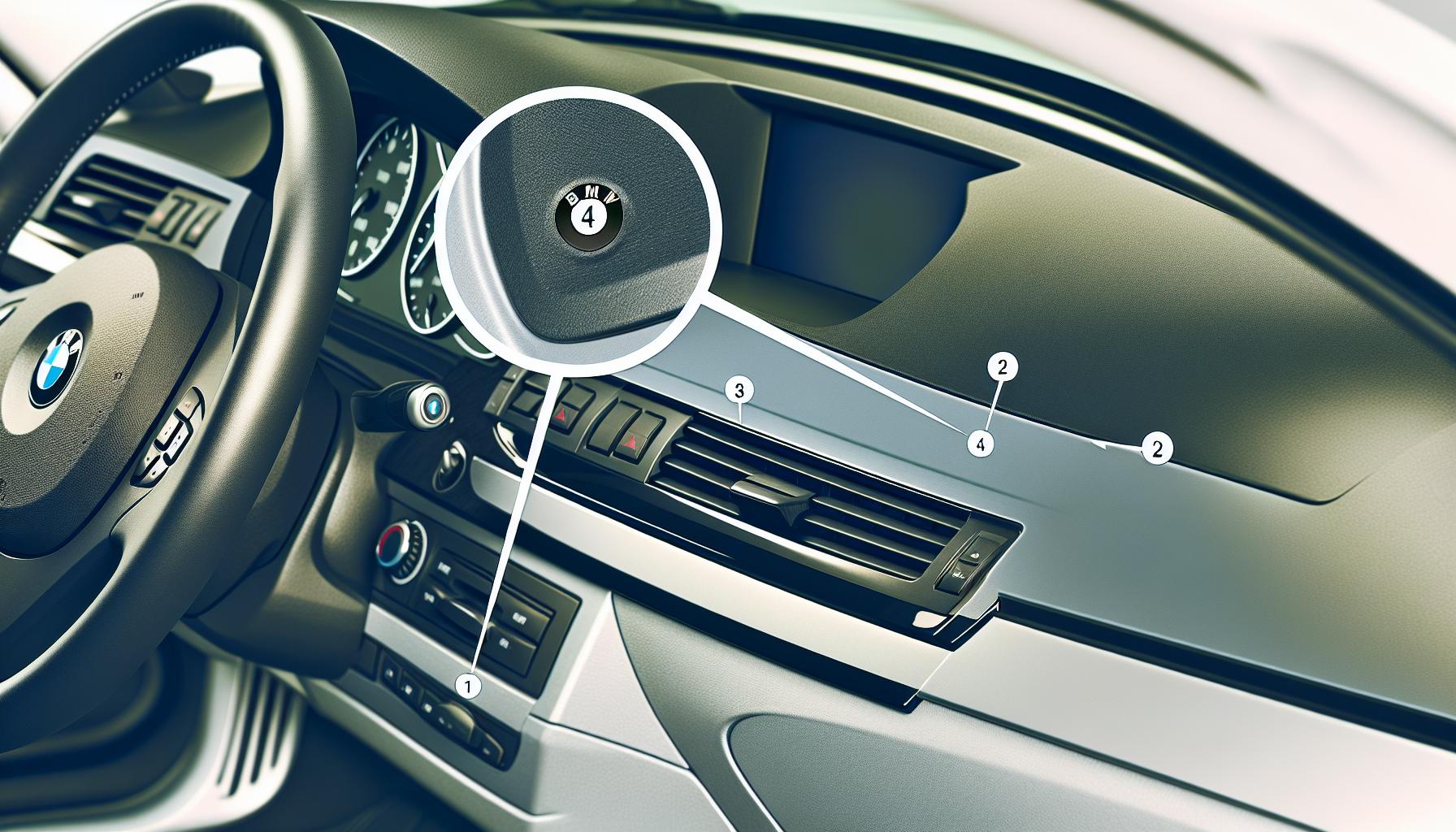
To get the latest software updates for your BMW, you first need to locate your Vehicle Identification Number (VIN). This unique 17-character code is essential as it provides specific information about your vehicle, such as the model, year, and features. Knowing where to find your VIN can save you time and ensure you access the correct updates tailored to your specific vehicle.
The VIN can typically be found in a few key locations. Most commonly, it is visible on the driver’s side dashboard, just below the windshield. When you look through the glass from outside the car, this is the first place to check. Another frequent location is on the driver’s side door jamb. When you open the driver’s door, look for a sticker or plate that displays the VIN. These locations make it easier to find the code without needing special tools or equipment.
Once you have your VIN, you can use it in several ways to access software updates. You can input the VIN into an online VIN decoder, such as those available on BMW’s official websites or third-party services. These tools provide detailed information about your vehicle, including the current software version and any available updates. Furthermore, using the My BMW app is another easy method to manage your vehicle’s software. Simply enter your VIN in the app, and it will guide you through the update process, helping keep your vehicle’s systems running optimally.
Having your VIN handy is not just useful for updates; it also enhances your interactions with BMW service centers. By providing your VIN when discussing services or potential issues, you ensure that technicians can access the precise data about your vehicle, leading to quicker and more effective assistance. Remember, your VIN is not just a number; it is your key to optimizing your BMW ownership experience.
Step-by-Step Guide to Check for Updates
To ensure your BMW is running at its best, checking for software updates regularly is essential. Keeping up with these updates not only enhances performance but also adds new features and fixes potential issues. Here’s how to efficiently check for updates tailored to your specific model.
Start by having your Vehicle Identification Number (VIN) at hand. You can locate your VIN on the driver’s side dashboard or the door jamb. Once you have your VIN, follow these simple steps:
Utilizing Online Tools
- Visit a VIN Decoder: Go to a reputable VIN decoder website, such as BMW’s official site. Input your VIN in the designated field.
- Review the Details: After entering your VIN, the site will display your vehicle’s information, including the current software version and available updates.
Using the My BMW App
- Download the App: If you haven’t already, download the My BMW app from the App Store or Google Play.
- Enter Your VIN: Once logged in, navigate to the section where you can input your VIN. The app will verify your vehicle’s details and prompt you about any available updates.
Checking via iDrive
- Access your iDrive System: Start your BMW and navigate to the iDrive menu.
- Go to the Settings: Look for the ‘Software Update’ option, often found under ‘Settings’ or ‘Vehicle Information.’
- Initiate a Check: Select the option to check for updates. The system will inform you whether any new updates are available for download.
By following these steps, you can effortlessly stay updated with your BMW’s software. Regular updates are vital to maintaining optimal vehicle performance and ensuring you enjoy the latest features that your BMW has to offer. Always remember, an updated BMW means a safer and more efficient driving experience.
Different Types of BMW Software Updates Explained
Software updates for your BMW can significantly enhance your driving experience, providing everything from new features to essential security enhancements. There are several types of software updates specifically tailored to improve various aspects of your vehicle. Understanding these differences can empower you to make informed decisions about your BMW’s maintenance and performance.
Types of Software Updates
- Full Software Updates: These updates encompass complete system overhauls. They often include the latest versions of the software that controls major systems within your BMW, including the engine management, infotainment, and safety features. Performing a full update ensures you have all the new functionalities and fixes integrated seamlessly into your vehicle.
- Partial Software Updates: Unlike full updates, partial updates focus on specific areas of the software. These are typically quicker and less comprehensive, addressing bugs or minor feature enhancements. For instance, if you’ve been experiencing connectivity issues with your mobile device, a partial update may resolve this without overhauling the entire system.
- Remote Software Upgrades (RSU): Many modern BMWs are equipped to receive remote software upgrades over the air. This means you don’t have to visit a dealership to install updates; they can be downloaded directly to your vehicle. This method enhances convenience and ensures that your car can receive the latest software enhancements as soon as they are available.
- Maintenance Updates: These are updates released specifically to fix bugs or address specific functionality that the manufacturer has identified. For example, they may include patches for issues reported by users, such as minor bugs in the navigation system or compatibility problems with certain mobile devices.
Staying current with these updates reflects a critical aspect of responsible vehicle ownership. Not only can they improve your BMW’s performance and reliability, but they also ensure your vehicle remains compatible with new technologies and features being developed in the automotive industry. Always remember, a well-updated BMW is a safer, more efficient BMW, capable of providing the best driving experience possible.
The Importance of Keeping Your BMW Software Current
Keeping your BMW’s software up to date is not just a matter of convenience; it’s essential to ensuring that your vehicle operates at its best. Modern vehicles are equipped with complex software that controls everything from navigation to engine performance. Just as you update apps on your smartphone for better functionality, regular software updates for your BMW can enhance safety, efficiency, and overall driving experience. With each update, BMW aims to address known issues, optimize performance, and introduce new features that can make your time on the road more enjoyable and secure.
One crucial aspect of staying current with software updates is the critical role your Vehicle Identification Number (VIN) plays. Your VIN is a unique code that allows BMW to identify your specific vehicle model and configuration, ensuring that the updates downloaded are tailor-fit for your car. Using the correct VIN not only facilitates access to the latest enhancements but also helps in identifying any software-related recalls that could affect your vehicle’s safety and performance. If your VIN hasn’t been updated in the system, you may miss out on key updates or face compatibility issues.
Understanding the types of updates available can also empower BMW owners to maintain their vehicles effectively. Updates can include major system overhauls that significantly improve vehicle performance or smaller patches that fix specific bugs and minor features. By regularly checking for updates, whether through the BMW app or the official website, you can ensure your vehicle benefits from ongoing improvements and security fixes. This is vital not just for the vehicle’s functionality but also for resale value, as an up-to-date vehicle is generally more appealing and reliable in the used car market.
In summary, regularly updating your BMW’s software is an easy way to guarantee that your car remains safe and efficient while enjoying the latest technological advancements. By keeping your VIN up to date and actively checking for software upgrades, you position yourself to benefit from the full range of optimizations that BMW has to offer. So go ahead, take a moment to check for updates-your car will thank you for it!
Common Issues Resolved by Latest Updates
Keeping your BMW’s software current is crucial not only for enhancing your driving experience but also for addressing various common issues. Each software update is meticulously designed to resolve bugs that have been reported by drivers, ensuring a smoother, more reliable ride. For instance, users may experience inconsistencies with their infotainment systems, such as slow response times or a lack of certain features. The latest updates often include patches that improve system speed and functionality, ensuring you’re seamlessly connected to your favorite apps and features during your journeys.
Another common issue that updates can address is connectivity problems, particularly with Bluetooth and smartphone integration. Many BMW owners have reported issues with their devices dropping connections or failing to sync altogether. Software updates come equipped with fixes to enhance Bluetooth compatibility across a broader range of devices, ensuring that your phone connects reliably every time you step into your vehicle. Regularly applying these updates minimizes the time you spend troubleshooting tech glitches and maximizes the time you enjoy your drive.
Updates can also enhance the vehicle’s safety features. Software upgrades can refine stability control systems, enhance the performance of advanced driver-assistance systems, and resolve anomalies with emergency braking or adaptive cruise control. By keeping your software up to date, you not only benefit from the newest safety protocols but also participate in creating a safer driving environment for yourself and others on the road. The commitment to software fidelity reflects BMW’s dedication to continuous improvement, and as an owner, staying informed guarantees that you reap those benefits.
In summary, maintaining your BMW’s software not only resolves existing issues but also preemptively enhances your ownership experience. By updating regularly, you’re taking proactive steps to ensure that your vehicle’s technology evolves alongside advancements in automotive engineering, keeping you at the forefront of performance and safety.
Enhancing Performance with Software Updates
Keeping your BMW’s software updated can significantly boost its performance, making your driving experience smoother and more enjoyable. Just like updating a smartphone or computer, these updates enhance not only the overall functionality of your vehicle but also introduce new features that improve responsiveness and efficiency. For instance, software updates can optimize engine performance, allowing for better fuel efficiency, sharper acceleration, and improved handling.
One of the primary benefits of regular software updates is the enhancement of your vehicle’s infotainment system. Updates often include patches that streamline data processing, resulting in faster load times for navigation maps, improved connectivity for Bluetooth devices, and overall smoother operation of apps. This means fewer moments of frustration when trying to connect your device or navigate while on the road. Moreover, updates can fix bugs within the interface, such as glitches in the display, ensuring a reliable user experience.
Additionally, software updates can contribute to an increase in the safety and reliability of your BMW. Many updates include improvements to advanced driver-assistance systems (ADAS). Functions like lane-keeping assist, adaptive cruise control, and emergency braking may all benefit from refinements made through these upgrades. Staying current with software updates ensures that your vehicle’s safety technology operates optimally, giving you peace of mind every time you get behind the wheel.
Embracing software updates should not be seen merely as a maintenance task, but as an opportunity to enhance your driving experience. Utilizing resources such as the My BMW app or your vehicle’s built-in cellular connection makes it easier than ever to keep your software up to date, unlocking new functionalities and ensuring that your BMW remains at the forefront of automotive technology.
User Experiences: Real Stories of Software Updates
Real stories from BMW owners provide valuable insights into the transformative power of software updates. Many drivers have found that these updates not only improve vehicle performance but also enhance their overall driving experience. For instance, after one notable update, a BMW owner shared how the infotainment system became significantly more intuitive, providing seamless access to navigation and music options. As they described, “It felt like I got a brand-new car overnight-everything was faster and more responsive.” Such testimonials highlight the tangible benefits of keeping your BMW software current.
Moreover, software updates often address common issues that drivers encounter. A recent BMW update was designed to improve Bluetooth connectivity, a challenge many users experienced. One driver reported, “Before the update, connecting my phone was a hit-or-miss situation. Afterward, it connected instantly every time.” This improvement not only streamlined their daily routine but also added a layer of satisfaction to their driving experience, reflecting the importance of staying current with software updates.
The stories also extend to safety enhancements, with updates frequently improving critical systems. For instance, an owner noted that after a specific software update, their lane-keeping assist became noticeably more effective, saying, “I feel more confident on the highway; the car seems to know precisely where to stay in the lane.” These personal accounts reinforce the idea that software updates aren’t just technical procedures but essential actions that enhance safety and comfort on the road.
These experiences collectively demonstrate that every BMW owner can benefit significantly-not just from maintenance, but from actively engaging with the evolving technology of their vehicle. By sharing these stories, owners not only educate themselves about the importance of updates but also inspire others to embrace this proactive approach to vehicle ownership.
Troubleshooting Failed BMW Software Updates
When it comes to maintaining your BMW’s performance, software updates are essential, but encountering issues during the update process can be frustrating. Failures in updating BMW software can stem from various factors, from network connectivity problems to compatibility issues with your vehicle’s specific model and year. Understanding how to troubleshoot these problems can save you time and ensure that your vehicle functions at its best.
To start with, always ensure that you are using the correct software update for your model. The first step is to verify your Vehicle Identification Number (VIN), which can be found on the driver’s side dashboard or inside the driver’s side door frame. This unique identifier provides specific details about your vehicle, allowing you to access the relevant updates. If you don’t have the right update files for your VIN, the installation process might fail. Use official BMW resources or the My BMW app to check for compatibility and download the correct software version.
Another common issue is connectivity problems, especially when downloading updates over WiFi. To troubleshoot this, ensure that your vehicle is parked in an area with a strong and stable internet connection. If possible, connect the vehicle directly to the internet using a mobile hotspot if the WiFi signal is weak. Additionally, checking your vehicle’s battery charge is crucial, as some downloads may require the engine to be running to prevent battery drain. For USB updates, confirm that the USB drive is formatted properly (FAT32 is usually recommended) and contains no other files except the update.
If an update fails during installation, it can typically be addressed by rebooting your vehicle’s iDrive system or restarting the update process. In some cases, it might be necessary to visit a BMW dealer for assistance, especially if persistent issues arise. They can provide insights and tools that facilitate a smoother update experience, ensuring that your vehicle receives the latest features and fixes intended for its operation.
By staying proactive with these troubleshooting steps, you can enhance your satisfaction with BMW’s software capabilities and maintain the high level of performance your vehicle is known for.
Future of BMW Software: What’s Next?
As the automotive industry shifts increasingly towards digital solutions, BMW is at the forefront of advancing its software systems to enhance vehicle performance and user experience. The future of BMW software updates promises to not only refine existing functionalities but also introduce innovative features that elevate the driving experience. One significant aspect of this progress is the integration of over-the-air updates. This technology allows BMW owners to receive software enhancements directly, ensuring that their vehicles are always equipped with the latest capabilities without the need for dealership visits.
Moreover, the role of the Vehicle Identification Number (VIN) will become more critical in this evolving landscape. The VIN serves as a unique fingerprint for each vehicle, containing essential information such as its manufacturing details, model, and specific features. As BMW continues to deploy tailored updates, understanding the implications of your VIN will be paramount. It will help owners verify compatibility with updates and ensure that they are accessing features designed specifically for their vehicle variant. Utilizing the My BMW app or the official BMW website can further streamline this process, empowering drivers to maintain optimal vehicle performance and security.
In addition to traditional updates, we can expect to see more sophisticated software that supports advanced driver-assistance systems (ADAS) and connectivity features. These enhancements could include improvements in navigation systems, adaptive learning for personal preferences, and enhanced security protocols. As user demands for technology in vehicles grow, BMW’s software is likely to adapt with capabilities like predictive maintenance alerts and personalized user interfaces, which are customized based on individual driving habits.
With these advancements on the horizon, BMW is not just focused on keeping vehicles up-to-date; it’s about creating a seamless interaction between the driver and the car. Embracing this future will enable BMW owners to maximize their vehicle’s potential, ensuring that it remains a leader in both performance and technological innovation for years to come.
Frequently Asked Questions About BMW Software Updates
Navigating software updates for your BMW may seem daunting, but understanding a few key points can make the process smoother. One recurring question among BMW owners is how the Vehicle Identification Number (VIN) plays a crucial role in receiving these updates. Essentially, your VIN is a unique identifier that reveals your car’s model, manufacturing details, and features. This information is vital when checking for compatibility with software updates. You can check for available updates through the My BMW app, the official BMW website, or even directly within your vehicle’s iDrive system.
Another common inquiry involves how to locate the VIN itself. The VIN can be found in several places, including on the driver’s side dashboard (near the windshield), the driver’s side door frame, and your vehicle’s registration or insurance documents. If you’re having trouble finding it, online VIN decoder tools can also help you decipher what your VIN means and ensure you’re getting the right updates for your car model.
Many drivers ask about the types of software updates that are available. Generally, these updates fall into a few categories, including system performance improvements and new features. For example, these updates can enhance connectivity options, improve navigation systems, and even fix bugs related to vehicle performance. Regularly updating your BMW’s software is essential, as it not only enhances functionality but also addresses any security vulnerabilities that may have been discovered since your last update.
Lastly, concerns about failed updates are common among users. Should you encounter an issue, ensure that you have a stable internet connection, sufficient battery power, and that you’re following the correct procedure as outlined in the BMW software update guide. In case of persistent problems, consulting your local BMW dealership or support forum might provide further assistance tailored to your specific model.
Frequently asked questions
Q: How can I find out what BMW software updates are available for my VIN?
A: To check for available BMW software updates for your VIN, you can use the My BMW App or visit the BMW updates website, where you can enter your VIN for tailored results. Keeping your software updated improves performance and adds features that enhance the driving experience.
Q: What information does my BMW VIN provide for software updates?
A: Your BMW VIN reveals crucial details, such as the model, year, and specific hardware configurations of your vehicle. This information allows for precise software matching, ensuring that only compatible updates are recommended for your BMW.
Q: Why is it important to keep my BMW software updated?
A: Regularly updating your BMW software is essential for maintaining optimal vehicle performance, improving security, and accessing new features. Updates can resolve existing bugs and enhance the overall functionality of your BMW’s systems.
Q: How often should I check for BMW software updates using my VIN?
A: It is recommended to check for BMW software updates at least once every few months or whenever you notice performance issues. Additionally, keep an eye out for any notifications from BMW regarding critical updates related to safety or performance.
Q: Can I perform a BMW software update myself?
A: Yes, many BMW software updates can be performed by the owner using the My BMW App or directly through the iDrive system in your vehicle. Detailed instructions can be found in your vehicle’s owner manual.
Q: What should I do if my BMW software update fails?
A: If a software update fails, first check your internet connection and try again. If the problem persists, consult the troubleshooting guide in your vehicle’s manual or contact a BMW dealer for assistance.
Q: Is there any cost associated with BMW software updates?
A: Most BMW software updates are provided free of charge, especially those intended for safety or critical performance enhancements. However, some advanced updates or features might incur a fee. Always verify with your dealership before proceeding.
Q: What types of updates are offered for BMW vehicles?
A: BMW offers various updates, including full and partial software updates. Full updates typically incorporate extensive improvements, while partial updates focus on specific system enhancements. Consult your dealership for details tailored to your model.
Feel free to explore further for more detailed guides on performing updates and understanding your BMW’s software requirements!
Closing Remarks
Now that you know how to keep your BMW updated with the latest software enhancements using your VIN, don’t wait-take action today! By ensuring your vehicle is running the latest features, you enhance both performance and safety. For step-by-step guidance on checking your VIN and initiating the software update, visit our detailed resources on BMW Software Updates and Bluetooth Compatibility.
Stay tuned for more insights in our blog. Consider signing up for our newsletter for the latest tips, guides, and exclusive offers tailored for BMW enthusiasts like you! If you have any questions or need assistance, please leave a comment below-we’re here to help. Remember, maintaining software currency is vital for maximizing your driving experience, so act now and ensure you’re always in the fast lane!